> ## Documentation Index
> Fetch the complete documentation index at: https://sequence-0fb8d9e6-relayer_docs.mintlify.site/llms.txt
> Use this file to discover all available pages before exploring further.
# Swaps Quickstart
> Quickstart Guide on how to make Smart Swaps using Sequence's Unreal SDK.
The examples below apply to versions 2.x.x.
If you’re using version 3, use the SequenceEmbeddedWalletBP (Blueprints) and SequenceEmbeddedWallet (C++) classes instead.
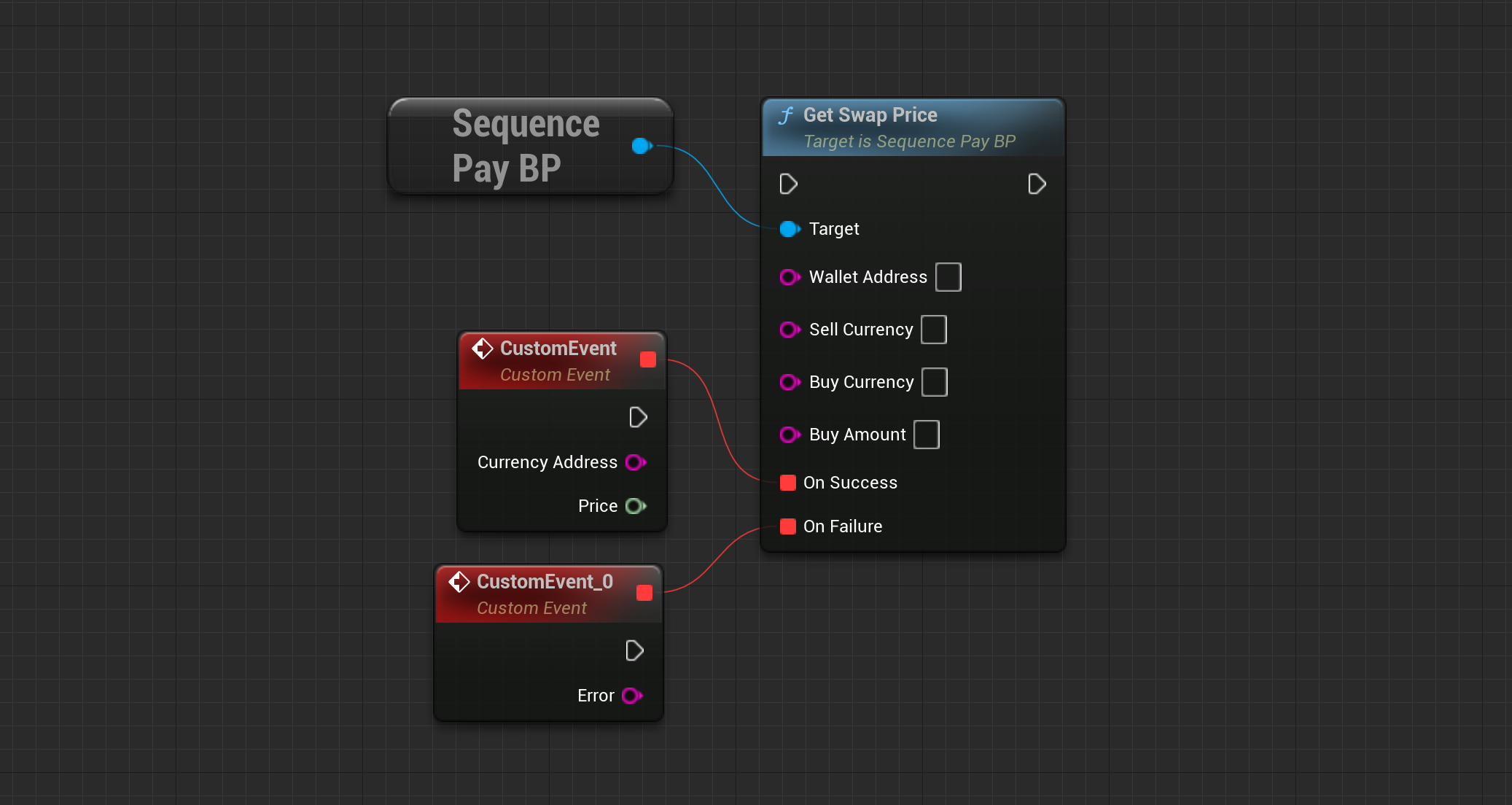
Get a price for a given token pair. Alternatively, call `GetSwapPrices` to get a list of available options.
Make sure that a DEX such as `UniSwap` has enough funds for your tokens.
 When you know the price for a given token pair, call `Get Swap Quote` for the same pair to get the required
transaction data for your swap.
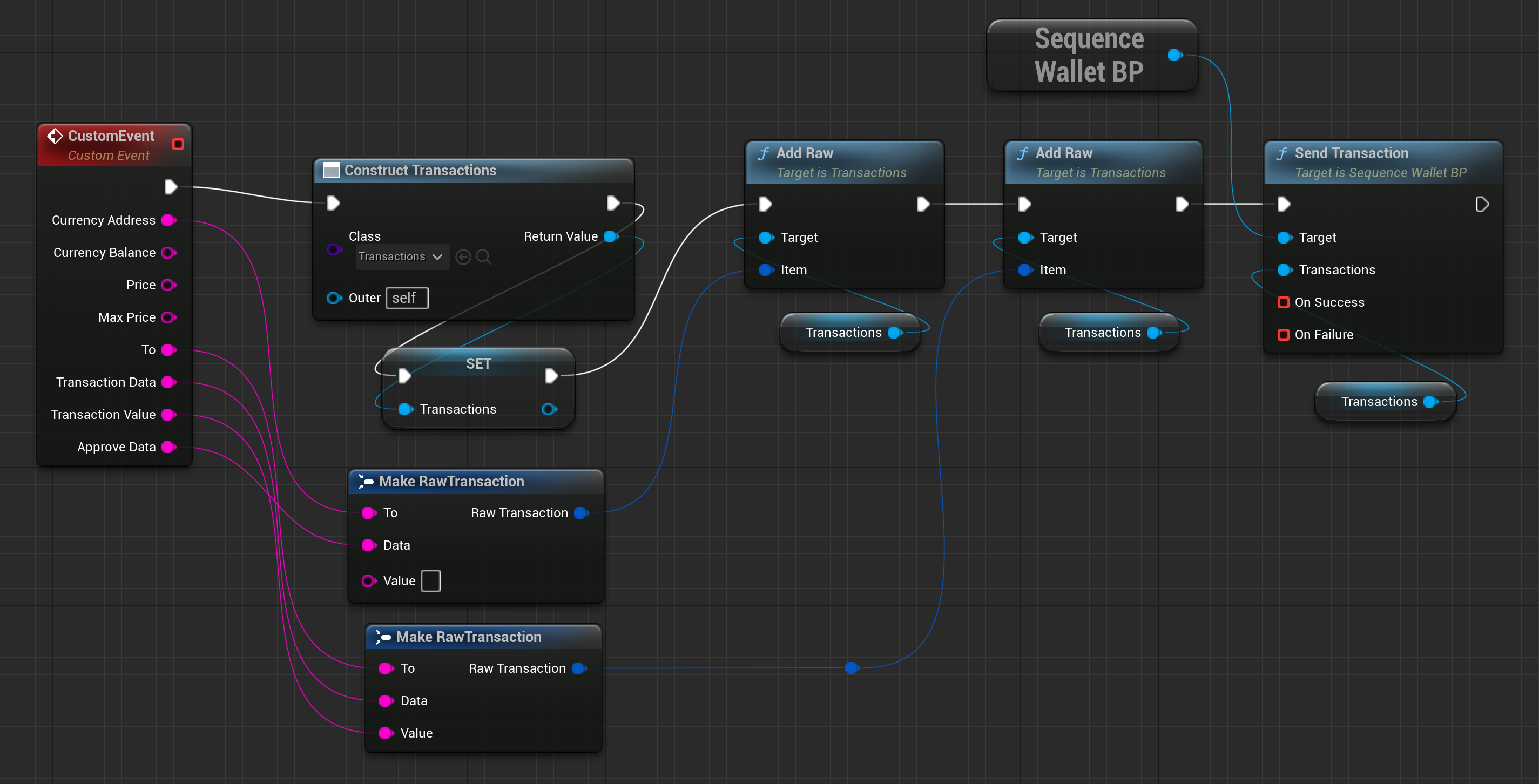
Now that you have your transaction data from `Get Swap Quote`, you construct a transaction object and first
add the `Approve Data` and then the `Transaction Data` to it. Make sure that the order of calling `Add Raw` is the same.
When you know the price for a given token pair, call `Get Swap Quote` for the same pair to get the required
transaction data for your swap.
Now that you have your transaction data from `Get Swap Quote`, you construct a transaction object and first
add the `Approve Data` and then the `Transaction Data` to it. Make sure that the order of calling `Add Raw` is the same.